Product Overview
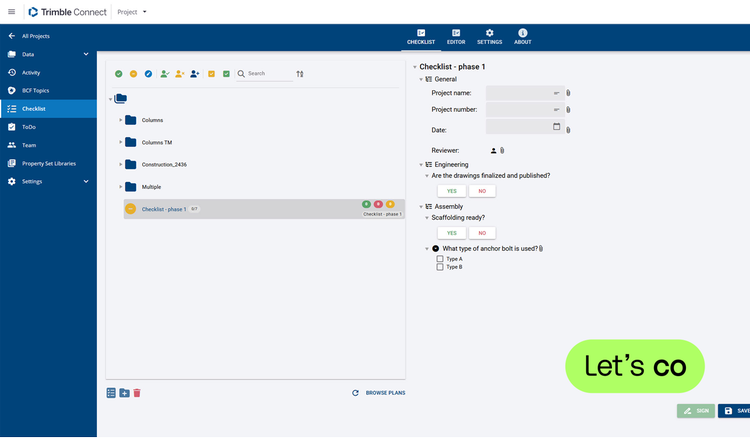
Create your own checklists for quality, safety and delivery of your projects with the Trimble Connect Extension Checklist. You can set up these lists completely at your wish.
It is possible to compile a checklist based on a 2D drawing. Here you can directly indicate the position of an answer or determine in advance the location from which a picture should be taken. You can also create a checklist based on objects from your 3D model.
Reuse the templates you create in Checklist in all your projects.
Has a checklist been signed and completed? Then you can always find all information in the history of a checklist, such as actions, saved photos and files.
Features
Flexible checklist
Set up a checklist with sections, questions and answers. Add mandatory actions such as photos and comments.Checklist 2D and 3D
Compile a checklist based on a 2D drawing or on objects from your 3D model.Reporting
View and share the results of your checks in a PDF report. Including photos, Views and comments.
Categories
BIM
BIM
Preconstruction
Preconstruction
Permitting
Permitting
Project Management
Procurement & Materials
Support
View Full Support and ResourcesTerms & Conditions

Checklist Extension for Trimble Connect
Flexible checklist for 2D and 3D
Developer: Construsoft
- Works with Trimble Connect
Please get in touch with your account owner for assistance. If you wish to make a purchase, we recommend signing out and creating a personal account.