Product Overview
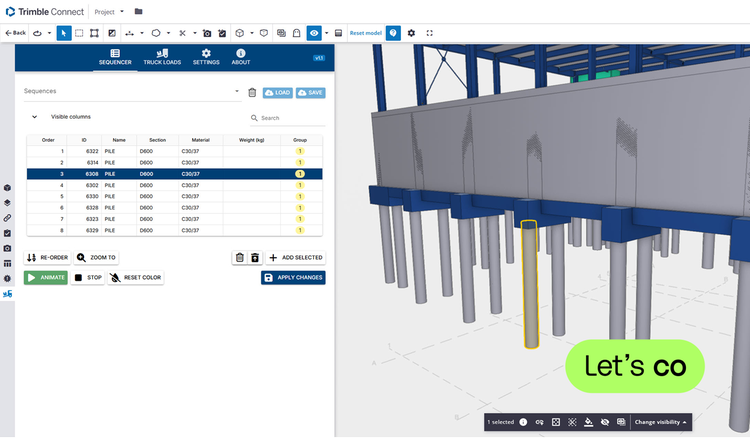
Determine the correct order of assembling parts with the Trimble Connect Extension Sequencer.
You compile a table with objects from a model in the 3D viewer. From this you easily create an animation so the steps are clear to all team members.
The Sequencer can also calculate loads based on the weight of the selected parts. That way you know in no time how many loads are needed to transport the parts.
You control the correct sequence of the table yourself. You can save this sequence so you can use it in another project. You can also assign multiple sequences to a project or model.
Decide whether to add or hide additional properties such as weight, height and width. Use handy sliders to adjust the animation to your liking.
Features
Simulate your project
Set up your own sequences and bring structure to the building process.Truck loads
The Sequencer can calculate loads for trucks based on items weight over a selected group of IFC elements.Animate and share
The animation of a 3D model makes the steps to follow clear all stakeholders in your project.
Categories
BIM
BIM
Preconstruction
Preconstruction
Project Management
Drawings & Documents, Procurement & Materials
Permitting
Permitting
Support
View Full Support and ResourcesTerms & Conditions

Sequencer Extension for Trimble Connect
Animate sequences in 3D viewer
Developer: Construsoft
- Works with Trimble Connect
Attention
Please get in touch with your account owner for assistance. If you wish to make a purchase, we recommend signing out and creating a personal account.
