Product Overview
Check easily and quickly whether you have the latest construction drawing with the Trimble Connect Extension QR Version Checker.
You easily add a QR code to a PDF file in Trimble Connect. With a quick check, all stakeholders know whether they are using the latest version.
Use your mobile phone or tablet to scan the QR code on the PDF file at the construction site. Does the screen turn green? Then you have the most current version in your hands, and you can get started.
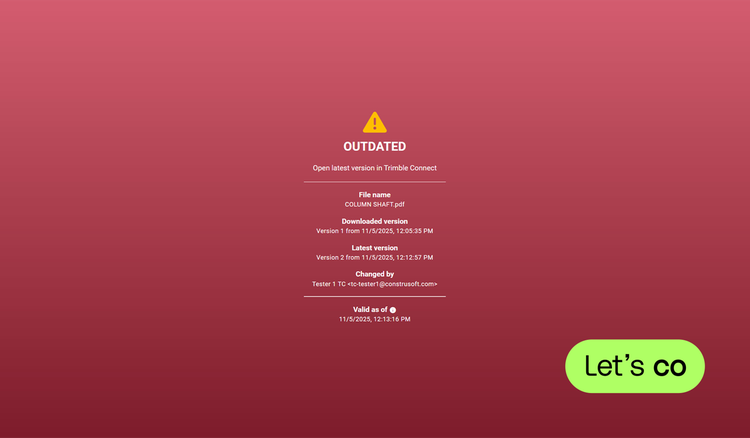
If the screen turns red, you have an outdated version in front of you.
Simply click on the link in the red screen to access the most current file via Trimble Connect. This ensures that you are using the latest information.
Features
Create your own QR code
Generate a QR code for a PDF file and share it with your team members. This way they have access to the correct information.Scan and check
Scan the QR code on the document to instantly verify whether you are using the latest version on the construction site.Always up-to-date
Is the file outdated? Easily retrieve the most recent version using the QR Version Checker.
Categories
BIM
BIM
Preconstruction
Preconstruction
Project Management
Drawings & Documents, Procurement & Materials
Permitting
Permitting
Support
View Full Support and ResourcesTerms & Conditions

QR Version Checker Extension for Trimble Connect
Check version of documents with QR checker
Developer: Construsoft
- Works with Trimble Connect
Please get in touch with your account owner for assistance. If you wish to make a purchase, we recommend signing out and creating a personal account.