1 / 6
Product Overview
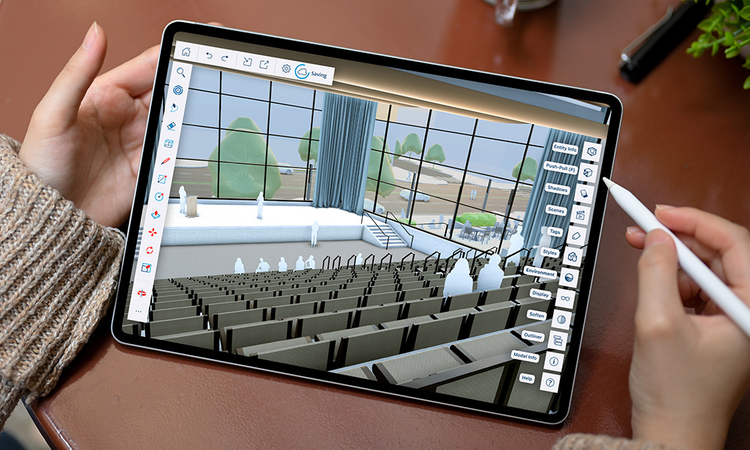
The SketchUp and Trimble Connect integration enables seamless cloud-based collaboration between stakeholders, efficient file management and sharing.
Share progress and collaborate with ease throughout the project lifecycle, and always access the latest models across SketchUp's Desktop, Web and iPad modelers to keep projects on track.
Compile feedback, assign to-dos, detect clashes and share critical information across all disciplines with ease within a single ecosystem. Backed by Trimble end-to-end, this powerful integration connects all the data you need for successful construction projects.
Features
Intuitive 3D modeling
Combine easy-to-use drawing tools with the accuracy and detail needed to produce professional-grade models, images and documentation. SketchUp offers fast and intuitive 3D modeling and 2D documentation from conceptual design to final project delivery.Access and collaborate anywhere
Access your project from anywhere, on any device, directly from the cloud. Keep all 3D models, 2D documentation, and project files in one platform, ensuring every version, markup, and update stays visible across disciplines.Connect project data
Store, link and view data and associated metadata for all objects throughout each phase of the building's lifecycle to stay on schedule and on budget. Our infrastructure is built on the Amazon Web Services (AWS) platform, offering a high standard of physical and cyber protection.Easily advance design decisions
Get feedback and facilitate conversations inside your 3D model, control view and comment permissions, and create a shared space for collaborative review with models that update instantly right inside SketchUp. Monitor changes, perform clash detection or assign To-Do’s directly in Trimble Connect.
Categories
BIM
BIM
Project Management
Drawings & Documents
Support
View Full Support and ResourcesBIM

SketchUp + Trimble Connect
Design and collaborate anywhere in the cloud
Developer: Trimble
- Works with Trimble Connect
Attention
Please get in touch with your account owner for assistance. If you wish to make a purchase, we recommend signing out and creating a personal account.