1 / 2
Product Overview
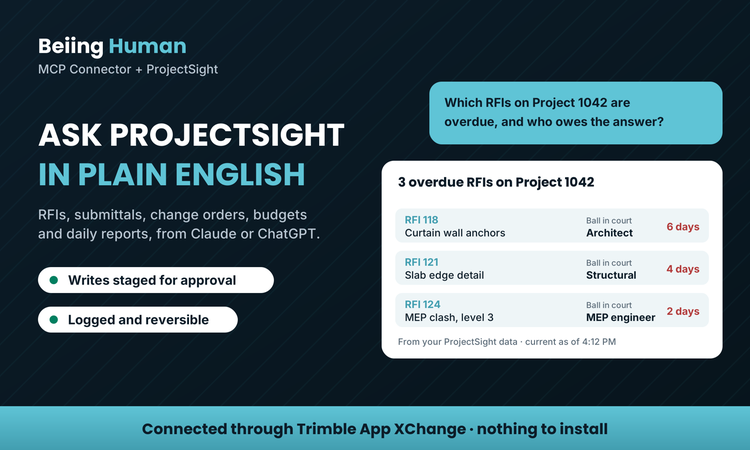
Project managers and project accountants lose hours digging through ProjectSight logs to answer simple questions. Beiing Human MCP Connector + ProjectSight connects Claude, ChatGPT and other AI assistants to your ProjectSight data, so your team can ask "Which RFIs are overdue, and who owes the answer?" or "What change orders are still pending on project 2401?" and get the answer in seconds.
The connector also writes back to ProjectSight. Every write is staged for your approval before it posts, logged, and reversible with a simple command.
Your ProjectSight data reaches Beiing Human through your Trimble App XChange workspace, so there is nothing to install and no firewall to open. You choose which modules the AI can see.
Features
Answers in ProjectSight's own terms
Ask about RFIs and who owes the answer, submittals and their review status, change orders and what is still pending, budgets and contracts, and daily reports. Answers come from your own ProjectSight data, by project, and each says how current it is.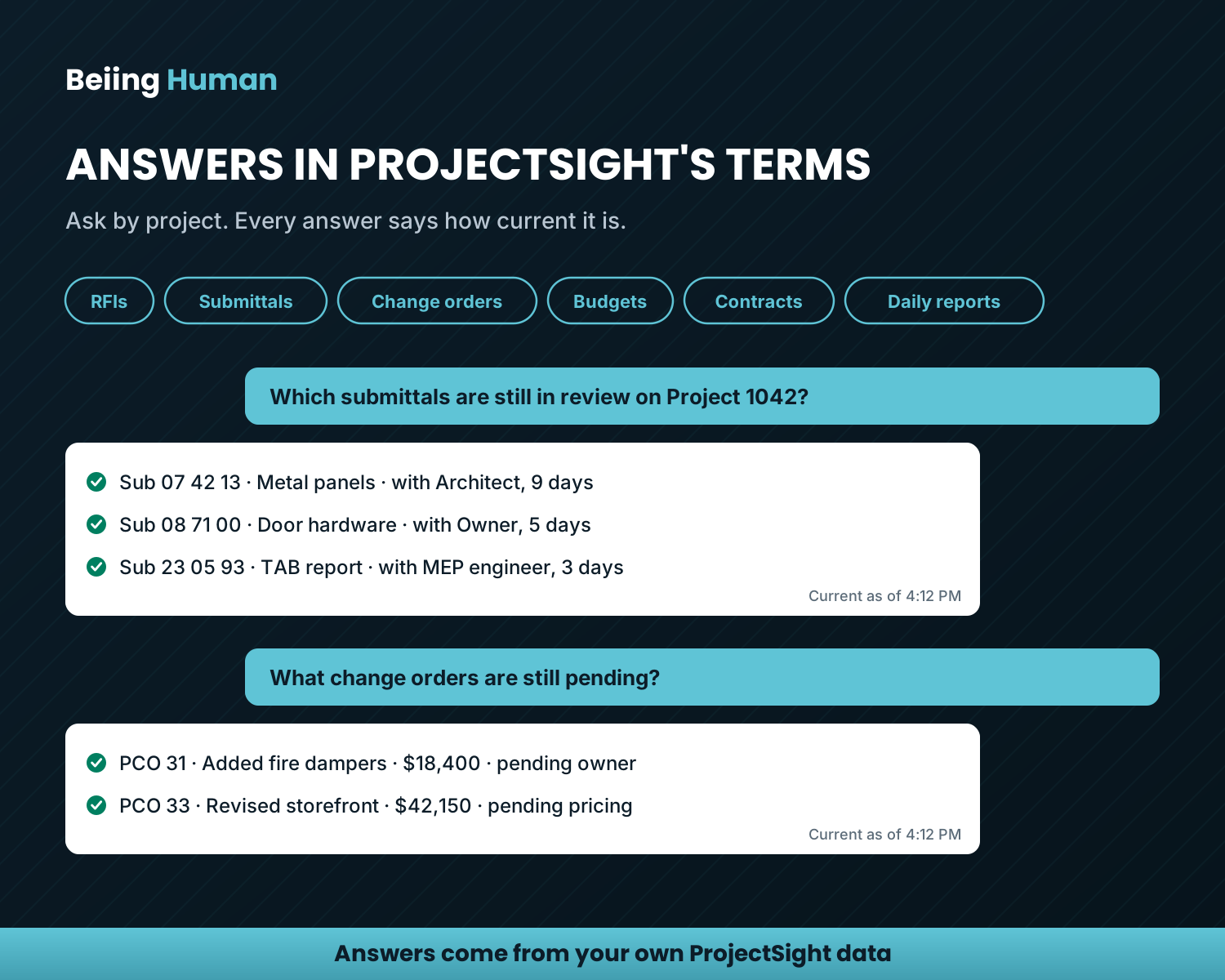
Reads and writes, with access you control
The AI app can write back to ProjectSight, but nothing posts on its own: every write is staged for your approval, logged, and reversible with a simple command. On the consent screen you pick which ProjectSight modules the AI can read and which it can write to, and every request is logged.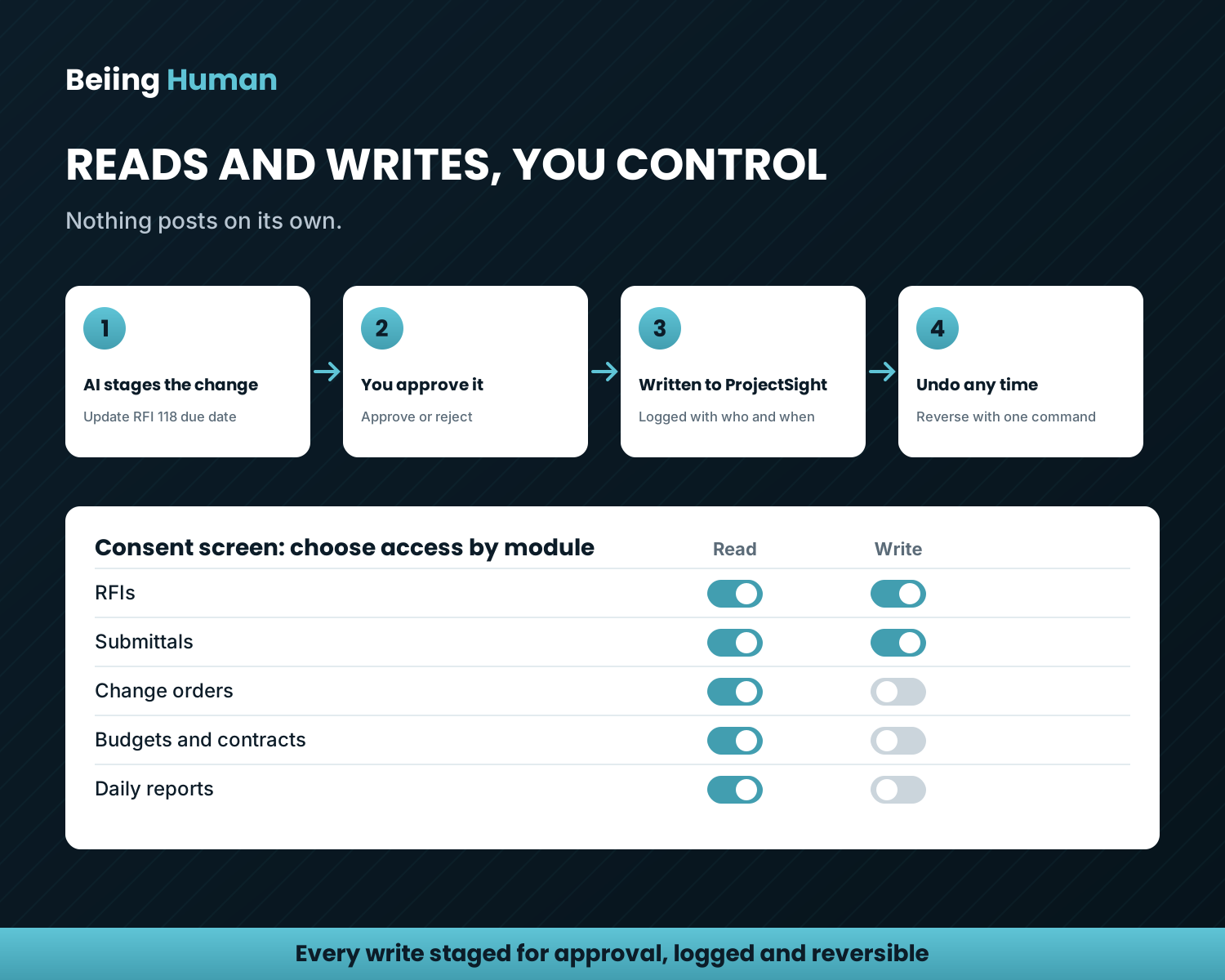
Connected through Trimble App XChange
Add the Beiing Human connector in your Trimble App XChange workspace: there is nothing to install and no firewall to open. Works with Claude, ChatGPT and other AI assistants that support MCP connectors.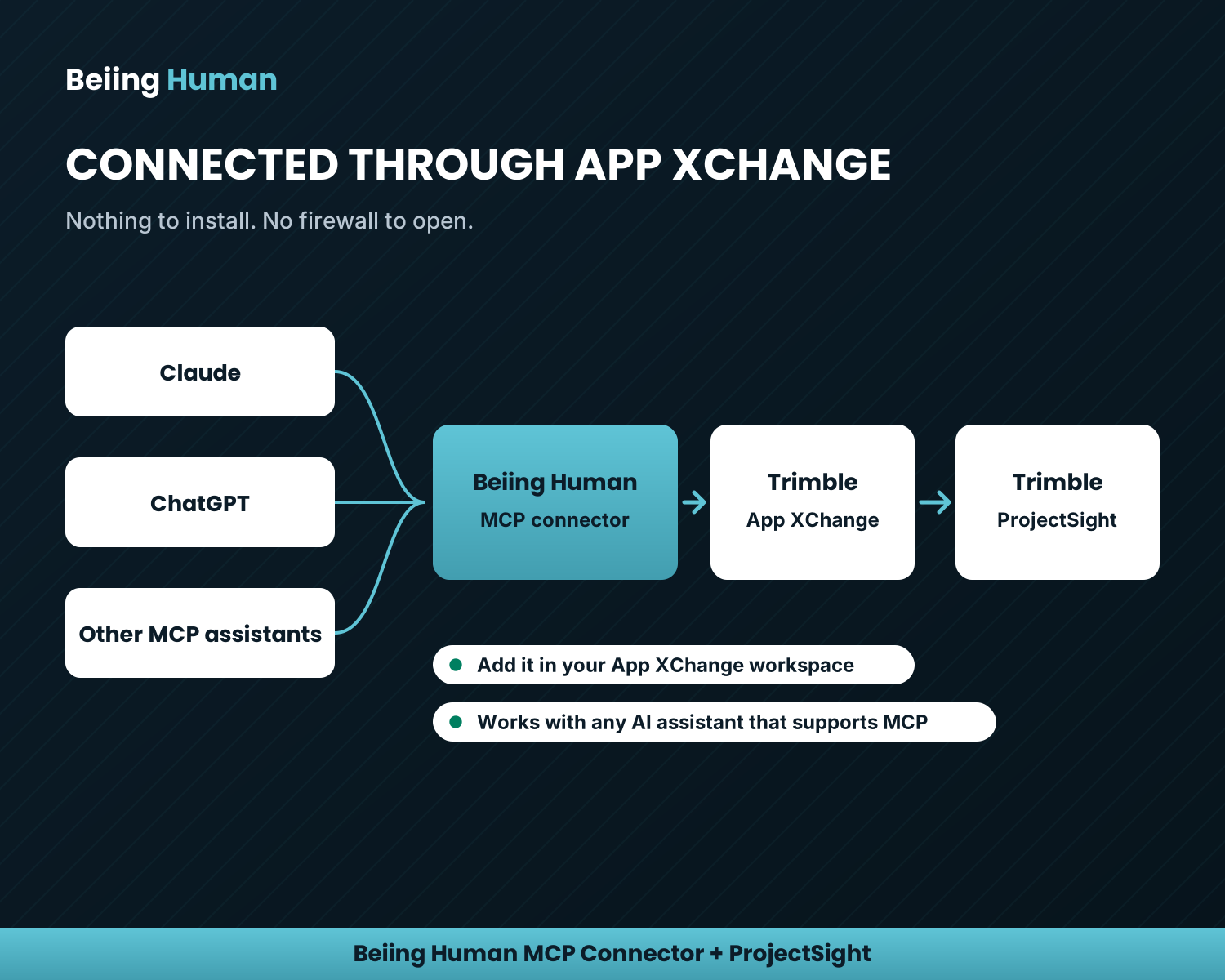
Categories
Project Management
Drawings & Documents
Productivity
Productivity
Reporting
Reporting
Support
View Full Support and ResourcesTerms & Conditions
Drawings & Documents

Beiing Human MCP Connector + ProjectSight
AI reads and writes ProjectSight
Developer: Beiing Human
- Works with ProjectSight
Processing...
Please wait
We are verifying your account details to set up your trial.
Trial No Longer Available
Our records show that a 30-day trial for this product has already been used on your account.
To continue using this product, please select an active subscription plan on the product page.
Unable to Verify Account
We couldn't check your trial eligibility at this time due to a temporary system connection issue. No charges or changes were made to your account.
Attention
Please get in touch with your account owner for assistance. If you wish to make a purchase, we recommend signing out and creating a personal account.